About a year and a half ago, I wrote about my initial thoughts on the M3 Max MacBook Pro. It really was the most expensive Mac I’ve ever purchased and my initial impressions of this Mac were fantastic.
So I thought I’d write a follow up to my M3 Max experience and share how it’s holding up to travel, specs, and whether I’d made any mistakes in my configuration along the way.
Hardware Condition
I want to preface this by saying that the M3 Max is my primary computing device. I use it for work as well as personal tasks. Only in the last 4 months or so have I begun traveling much more frequently with it so my opinions on traveling are a shorter period.
Body
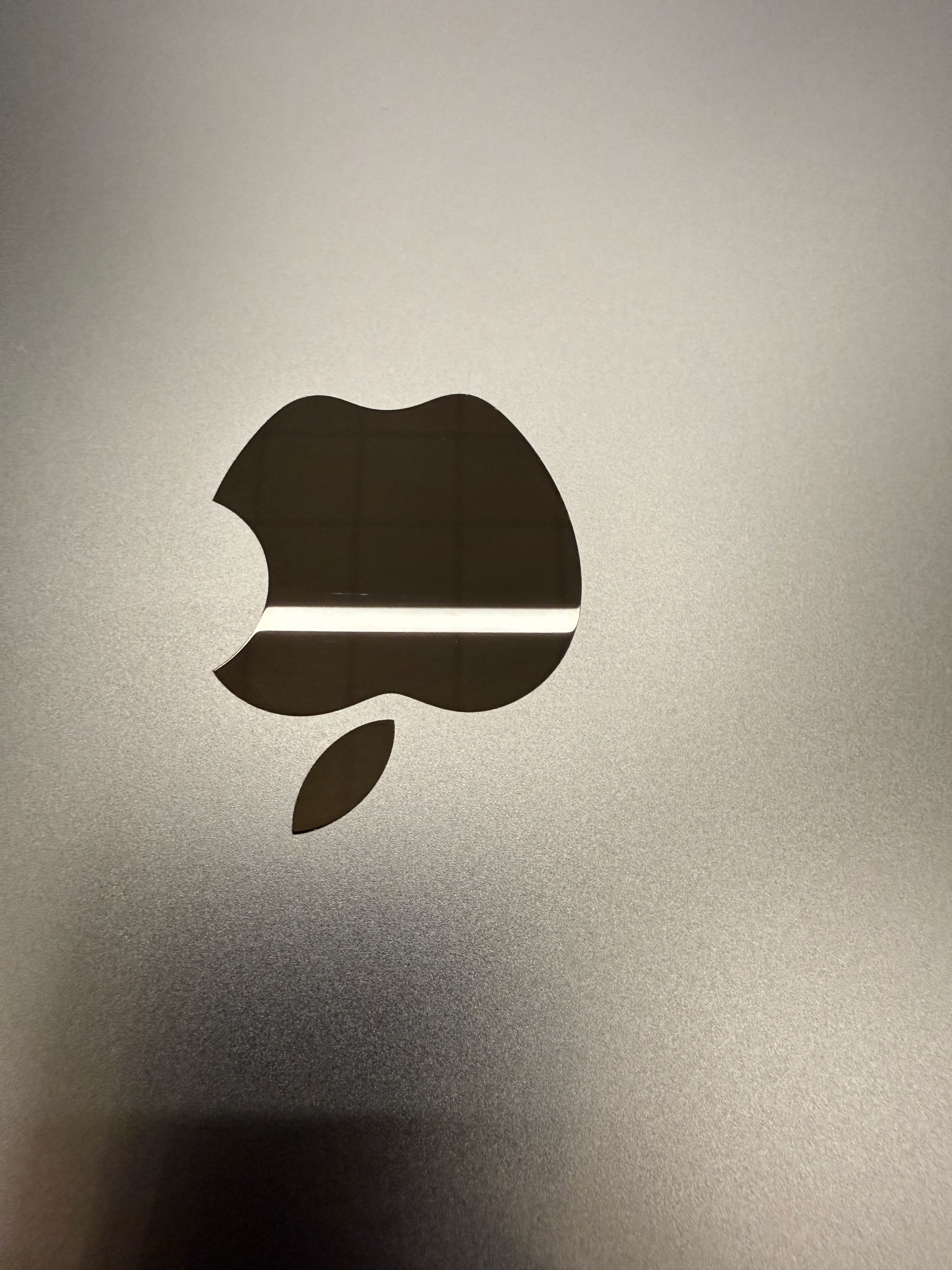
Overall the M3 Max MacBook Pro has been glorious. The condition of the device inside and out is in really great shape. There is very minor wear on the keys, and almost no wear on the body. It’s got a few very very very minor scratches on the Apple Logo on the lid of the laptop.
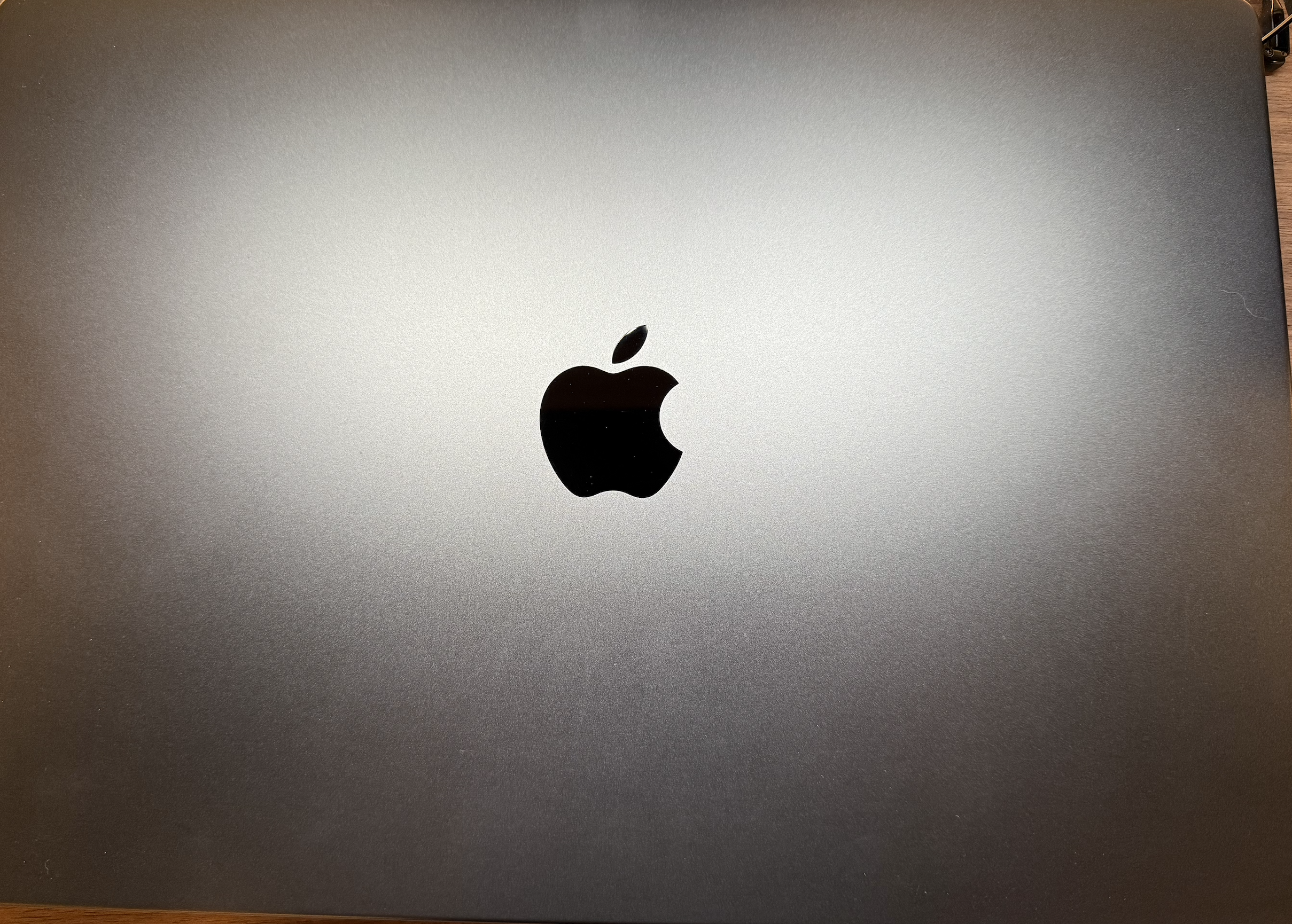
The rest of the body shows some very minor wear that is barely noticeable on the top.
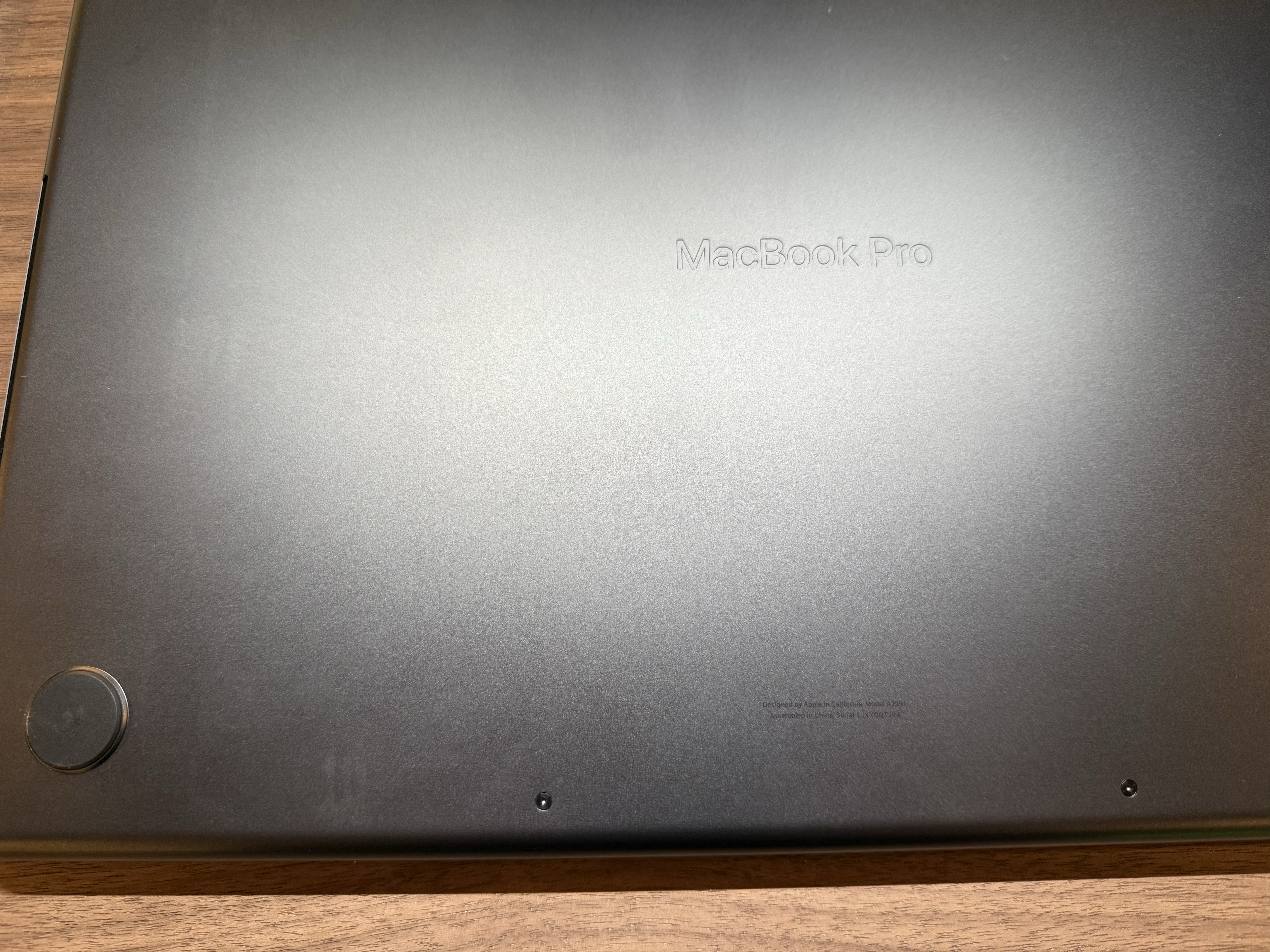
The bottom shows wear but most of this will wipe up with a clean Microfiber cloth.
Fingerprint Resistance
With this being the Space Black version, one of my initial concerns was with grease and fingerprints anywhere I touched it.
Thankfully its much more resistant than the midnight finish on the MacBook Air, but it still tends to hold a little grease from forearms or wrists when used. The keyboard shows some slight wear that front and when cleaning it, its mostly come up with some light wipe downs from a dry Micro Fiber cloth but does show some signs of use.
Below is an unfiltered picture of the Keyboard area.
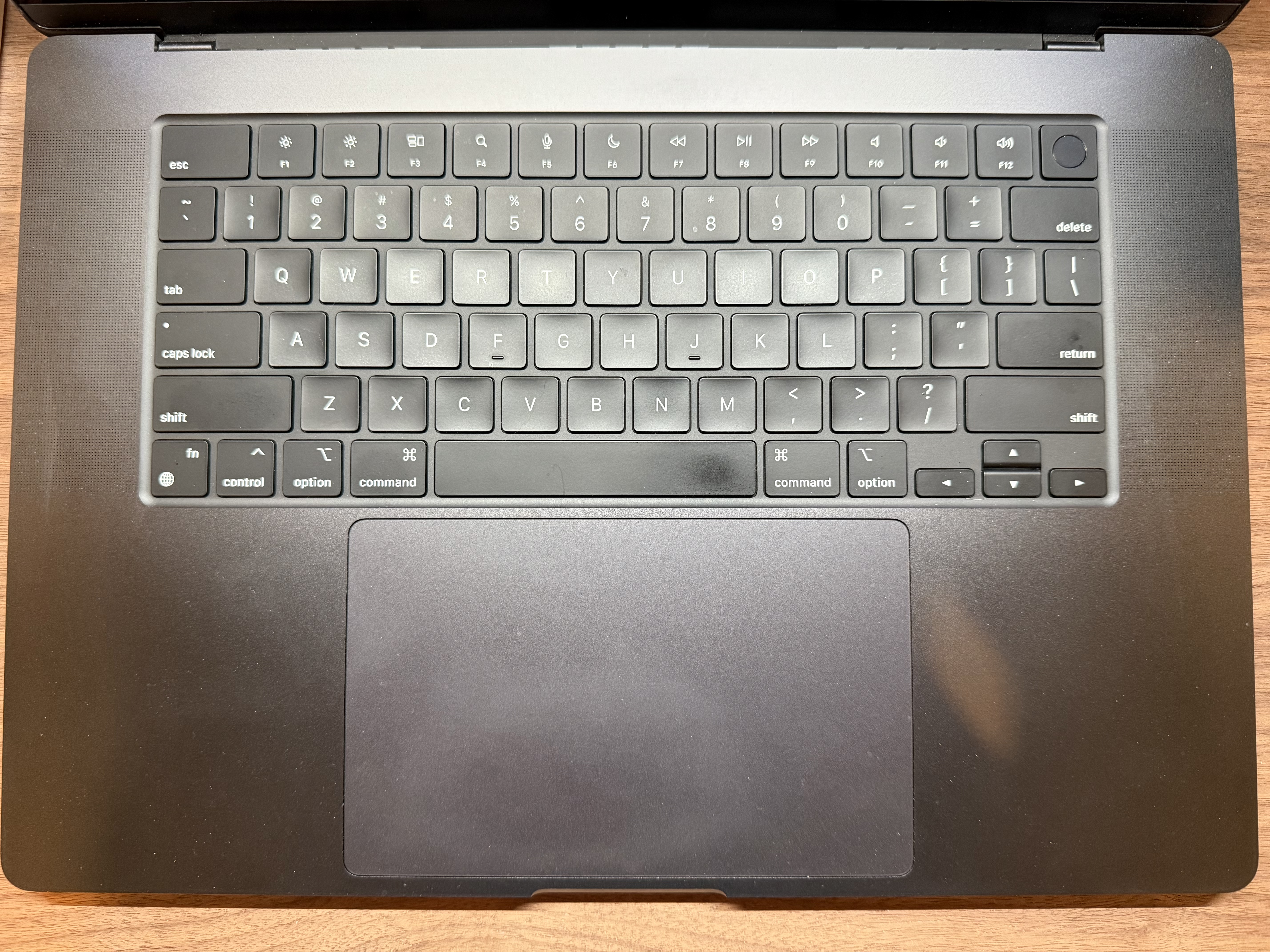
Definitely shows some use, but 90% of that comes off with a Microfiber towel.
Speaker Grills
I know it’s not something I’ve seen others write about, but the speaker grills on the 16 inch version are a PAIN. They hold dust and dirt in the individual machined holes and that was not something I expected.
It’s not affecting sound at all but I do see it and that’s one of my biggest annoyances. It’s not easy to clean and you can’t get every piece out no matter how much I try. When looking at the M3 or M4 series 14 inch MacBooks, I suspect the same problem will arise.
Battery Life
Battery life is exactly what I’d expect for this level of product. I charged this laptop before I left for my trip to NYC recently. I used this laptop to write in the Airport, do work at the bar at the hotel, attend a 4 hour meeting and write my outputs from those meetings sitting at the airport. I’ve not had any need to charge it and I still have an over 50% battery. I tend to keep my screen brightness at around 80% to 100% most of the time as well.
During my meeting that I had, everyone on their Window laptops plugged theirs so they didn’t run into any power issues. They asked me if I needed to charge my laptop and I said nope, I’ll be good for the next 4 hours. The looks I got would have made you think I grew a second head.
Note: I have plans to write about an HP ARM Laptop I recently received so stay tuned for that one.
All day laptop battery for moderate to heavy usage is not a concern for me at all. I have zero issues with the M3 Max battery performance and suspect this laptop will last for several years. Keep in mind though that your mileage may vary depending on your use case, but never having the need to charge it over a 3 day trip from Ohio to NYC and back speaks volumes to how well the Pro performs. My workflow varies and I bounce around anywhere from productivity, to engineering and testing and running multiple Windows and macOS virtual machines, to some creative work like editing videos, photo editing etc. I don’t have one specific workflow at all nor one primary over the other.
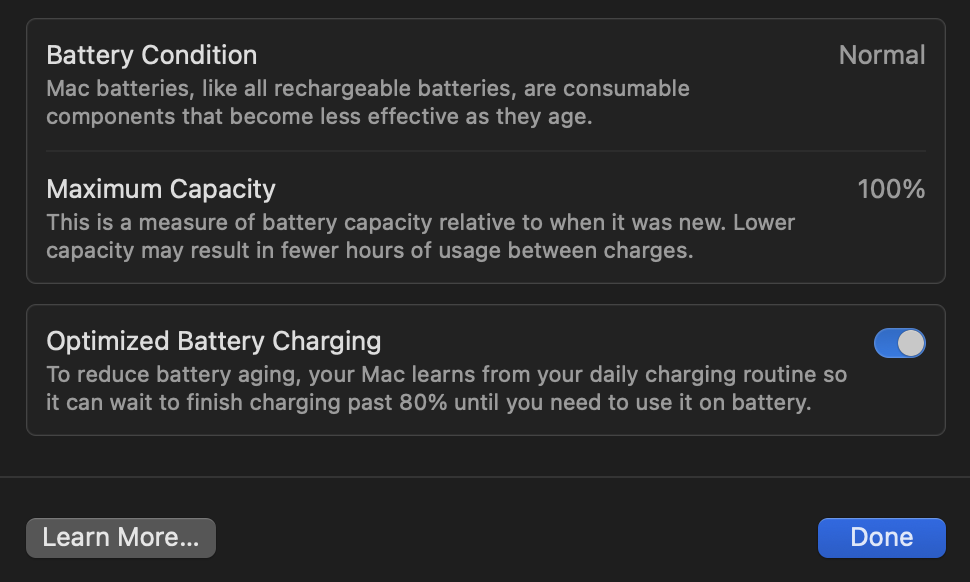
When I look at my battery health, it’s still at 100% after more than a year later. I plan on checking this against some of my other ARM based Windows laptops for comparison, but this is great to see that my battery is still super healthy.
Portability
The 16 inch version of the MacBook Pro is… a CHONK to say the least. It comes in at 4.7 lbs and you definitely give up some portability for that bigger screen. The finish is slippery so when you combine the weight with a slippery finish it may be more prone to drops. I’ve almost dropped it a dozen times with two being almost laptop ending. Portability wasn’t a real big concern for me for some time because I traveled infrequently.
Now that I’m traveling more though, I’d definitely reconsider the 14 inch version. This laptop is fine anywhere you’re not cramped. Forget about using it in Coach or First class on the seat trays. It’s too big and a pain to maneuver around. That said in lounges, tables, etc. where there is more room, this thing is amazing. If you don’t have an issue with space, or that doesn’t bother you, then you should consider it.
Screen
The screen is exactly what you’d expect after a year of use. Perfectly fine. The specs are 16.2 inch Liquid Retina XDR display with a resolution of 3456×2234. It’s a 16:10 aspect ration as well.
Overall, the MiniLED display still looks fantastic. With 1600 Nits of Peak Brightness, the display gets plenty bright. So if you’re working out in sunlight, then you shouldn’t have any issues… except one.
Reflections. It’s not nearly as troublesome to see as say the Surface Laptop Studio though, the reflection struggle is real in that use case. That said the enhanced HDR Brightness helps offset that but if it doesn’t kick in, the reflections can be a bit annoying, even though they are subdued compared to other glossy screens. When I upgrade this laptop in the future, I’ll definitely opt in for a nano texture display if I’m still traveling like I do today. Its a no brainer update since I have no control over the lighting in the places I work when I’m on the road.
Ports and Connections
Ports on the MacBook Pro are still the same and it’s really nice to no longer need to carry an HDMi adapter or SD Card Reader with me. I’ve had no problems with any of the ports or connectors on the M3 Max. It would be nice if there was a standard USB port but I use it rarely. So it would be a “nice to have” but not required by any stretch. Most of my USB sticks are dual purpose anyway. Having one end with USB-C, and the other with a standard USB-A port.
Overall port selection is perfect for my needs. I do appreciate the layout as well
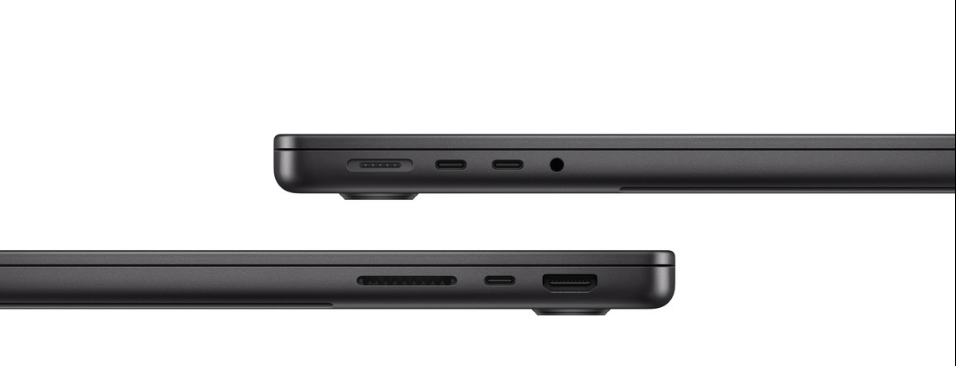
I just want to mention that MagSafe has been one of the best things to ever come back to the Mac. It’s one of my main buying decisions. I know that it sounds insane but the PC market tortuously releases bad power adapters, connectors etc. Apple’s attention to detail is fantastic here and it’s something I hope they never stop using. I know it’s been around for awhile and made its return with the MacBook Pro redesign for M1, but it’s still one of the coolest features I’ve seen around any laptop.
macOS
There’s not much to say about macOS Sequoia really. It hasn’t really changed the way I used my Mac even with the addition of Apple Intelligence features like writing tools. I still prefer to use Microsoft Copilot and Google’s Gemini AI, especially since I can use a direct chat application for each.
Overall the OS is still fluid, smooth and works just fine. We know there’s some planned OS upgrades coming across the board for all Apple Products in fall 2025 and we’ll get a glimpse of them at WWDC in June. Refreshes to macOS will be a huge welcome as the face of the OS has remain largely unchanged visually since macOS Yosemite in 2014 sans some icon changes and Settings.
Display Settings
Display settings… This has been a struggle for macOS for a long time along with window management. While window management has improved, tools like Magnet and Better Display make monitor and window management much better than the stock experience.
This is the one area where I really wish Apple would make some improvements. Let’s talk about Window Management first. With window management hovering over the green stoplight does give you a much better selection than before. You can choose where to place the window which is very convenient.
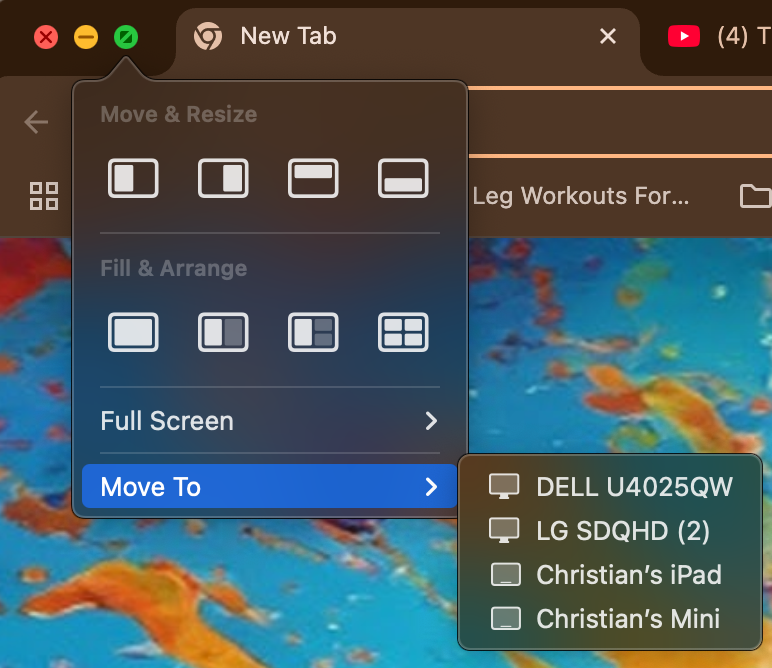
Still in 2025 there’s no “snap” feature available without a 3rd party tool. Sometimes I just want to click and drag the window to the area I need it. This has been a staple for Windows since Windows 7 and yet never really came to Mac in a more flexible way natively. In Windows 11, not only can I snap Windows wherever I want, I can bring up a set of predefined areas to drop my window in and then select another app for a different section of the display. This is just simple and easy. No thinking involved. I don’t think Apple needs to take it to Windows 11 in that respect, but just taking functionality from Magnet and incorporating it into the stock experience would drastically improve the window management experience.
Displays, font smoothing and blurry text oh my! This is probably the one thing that really frustrates me as a Mac user. Well that… and one other item.. If you understand how Mac scales displays for Retina, then it makes it easier to choose a display. That said though, there’s a plethora of monitor options available to the a consumer. People don’t want to fork over $thousands of dollars just to get a display that properly scales the monitor so you have no fuzzy text. If you want to get into the 100 foot level of how those displays work, I’ll leave a link here that really gets into it: https://bjango.com/articles/macexternaldisplays2/
In short the higher the pixel density of a display, the larger number of pixels per inch. Since the Mac scales things differently than Windows, 1440p displays like most ultrawide displays on the market leave you with blurry text in applications and throughout the OS. While monitors with resolutions 4K, 5K, or 6K displays have the proper resolutions that scale the OS appropriately and reduce/eliminate the blur or fuzz seen.
Aside from scaling, another monitor challenge I face is that randomly, the M3 Max will “forget” the monitor layout on the dock when I wake it from wake/sleep and any custom scaling I set. Forcing me to reset everything before I get back to work. This is less common with desktops but the Apple Laptops seem especially prone to this. To be fair, I’ve observed this behavior with m2 and M1 Macs as well when working through a dock and sometimes (though rare) through a direct laptop connection.
While I hope this is solved in a future macOS release, the problem is solvable with another 3rd party tool which coincidently also solves my monitor repositioning error and even allows me to use screen brightness controls with non Apple displays.
Better Display is a must have in my opinion for anyone who uses a Mac with multiple monitors. It allows more advanced scaling options without really sacrificing text and OS sharpness. It also keeps my monitors right where they were AND if macOS loses its scaling settings, it sets it right back to where it needs to be. For $29 dollars, it is a must have app for your Mac to overcome some of these weird quirks macOS experiences with non first party displays.
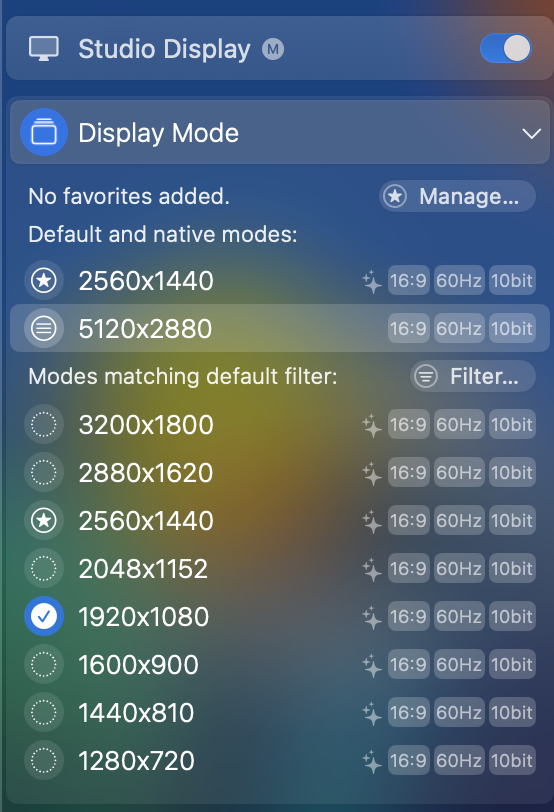
My last issue with macOS that still is a problem today, is the way macOS will “forget” randomly the wallpaper if it’s set differently. This is due usually to the wallpaper living in iCloud and not locally on the Mac. When this happens I need to go back into settings and adjust the wallpaper. I use tools like BetterDisplay to solve for some of the macOS forgetfulness, but I really wish that in 2025, native monitor management would see some real improvements.
Apple Intelligence
Apple Intelligence has been rolling features across all the platforms for the last several months. When it was originally launched it was positioned as “AI for the rest of us”. I got excited when I was finally able to test and use Apple Intelligence across the platform and while I initially had high hopes for it, I haven’t found myself using it nearly as much as I thought I would. The feature I use most often is message summarization. This I have found to be extremely useful. Especially in those always chatty family chats and sometimes I don’t want to go through 37 messages to find everything out. It’s very good at pulling the relevant information (such as my wife’s cousin’s pregnancy announcement) and summarizing the whole thread. Giving me exactly what I need. Likewise it does that with Teams chats making it really easy to get caught up. Outside notifications, I don’t really use Apple Intelligence much which is a shame since I had such high hopes for this platform at the start.
Part of the lost interest with Apple Intelligence is that features like improved Siri have been delayed. Siri is a terrible assistant and still in 2025 fails to do some of the most basic things that Google Assistant and Gemini excel at. This doesn’t appear to be coming anytime soon and with Apple falling woefully behind on the AI front for now, people are going to continue to look at and use competing products. This may include a hit to the iPhone sales as Gemini and Copilot offer a more capable experience today.
When I try to use some of the other features like Genmoji, I’m typically met with errors or nothing closely resembling what I asked for. If I run the same prompt through Copilot, Grok, or another AI solution, I get very close results and something more usable. I don’t use the writing tools as much as I expected and that is partly because I use a lot of the Microsoft Office suite of products. With that comes Copilot and since that covers the gamut of my uses and is available across both work and personal environments. This brings something to the front of my AI experience, which is consistency no matter the platform or role.
As an example, one of the benefits is Writing Tools. It’s a great alternative to Copilot and across the Apple ecosystem its sprinkled in your applications in a very nice and subtle way. Still sometimes I’m met with inconsistencies. I’ve used Writing Tools in one application and I get met with the following error:
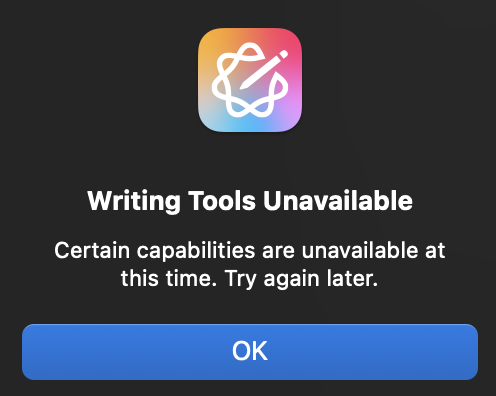
I thought… hmmm that’s odd. So I dropped the same paragraph into Microsoft Word, and Writing Tools worked without fail. I purposefully waited a day and ran writing tools again within the first application and it ran without any delay. These are experiences that can create a particular view from the consumer that may impact their decisions to use it in the future.
The counter to this argument is that Apple Intelligence is still considered “Beta” and that means some errors or inconsistencies may occur. I wholeheartedly believe that Apple will address and resolve these technical challenges over time but will it be at a fast enough pace to satiate the consumer? Only time will tell.
Don’t take this as bash Apple Intelligence segment either. I do think Apple Intelligence will make improvements and become much more useful as time goes on, after all Apple never tries to be first but usually has a better experience when they finally release a new product. The question really becomes, when Apple Intelligence reaches maturity, will it be on par with its competitors? I plan to do a deep dive in a future article on Apple Intelligence so stay tuned for that.
All that said, Apple Intelligence initially did not affect my purchasing decision when I bought this laptop. I am happy to report though that I think it will last well into the future as AI continues to mature.
Virtualization Support
One of my favorite reasons for ever owning an Intel Mac and working in tech, was that I could run any OS I wanted on the laptop. Windows Server, Windows OS etc. were never a problem.
When ARM based Macs were introduced back in 2020, Bootcamp was murdered in its sleep and by extension, virtualization of the Windows OS. While it’s taken some time though, Microsoft has made virtualization of Windows 11 available to the Mac. When reexamining my workflows, I very rarely if ever have need for a Windows Server OS anymore. The need for Windows OS is great though and my M3 Max is up to the challenge.
Using Parallels I can run any version of an OS I want. Linux, Windows, or macOS. All the tools I use are predominantly Cloud based like Intune and Jamf so as long as I can run multiple versions of these operating systems and test much of the management capabilities of these tools, then my needs are met. While there’s still no native Microsoft Visio option for macOS, I can run this perfectly fine in my Windows 11 Production VM or use tools from Omnigraffle to meet the need.
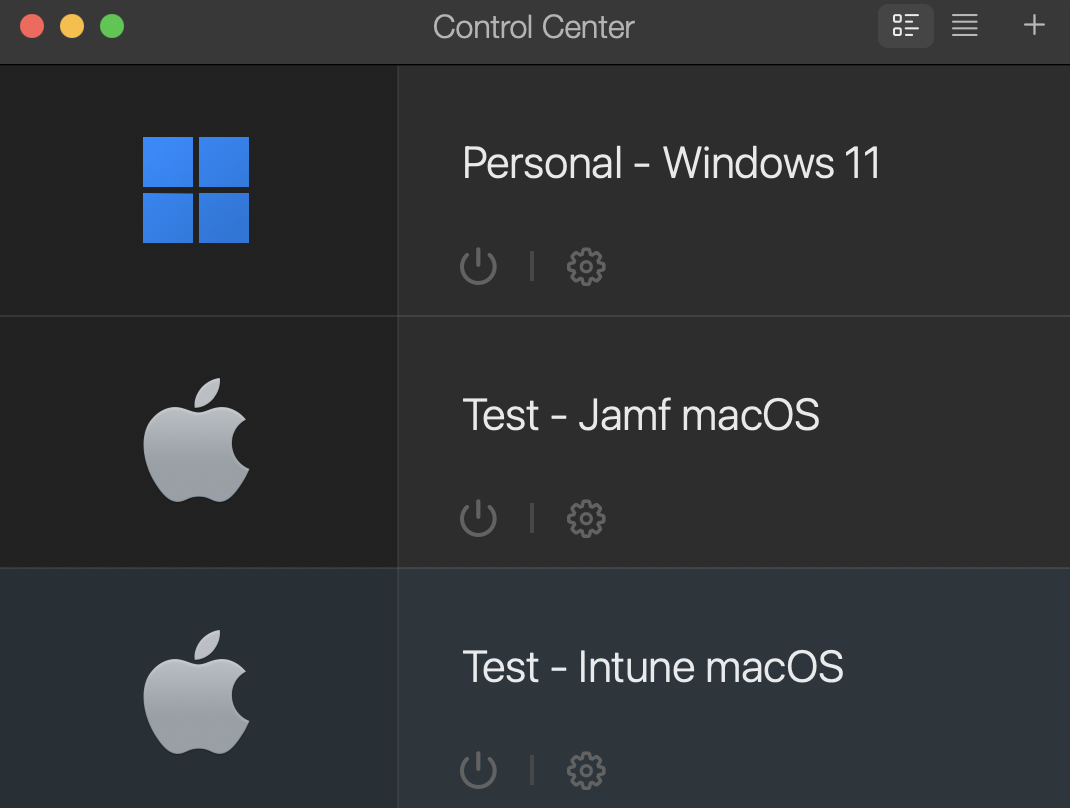
For my primary workflow, this is where the power of the M3 Max hardware lives. With the amount of memory, storage and CPU I have available to me, I can run all of them at the same time, or just my personal VM. There’s really no limit to how I can use this laptop with the specs it currently has.
Other Applications
One of the great things about Apple platforms in general are the number of capable 3rd party applications that solve a lot of specific problems or enhance your experience through productivity, functions, or management of your calendars, To Do’s etc.
There are many 3rd party apps that are cross platform. (macOS, iOS, Android, Windows) etc. but the number of applications that are Apple specific are pretty large in scope. It’s also rumored that people who leverage Apple’s ecosystem are willing to pay more for quality apps which is one of the reasons developers usually prioritize Apple over others.
Some of my favorite applications for macOS cover a gamut of areas. Some are obvious like the Office suite from Microsoft. But other apps like Fantastical, Things, the suite of products from Omnigraffle, Ulysses, or Alfred are some tools that really improve on the stock experience with macOS. Additional tools like Amphetamine to always keep the Mac awake. Sure there’s probably tools like this for Windows, in fact I know there are, but the quality of the application is really what takes the Mac experience to a different level. Overall though, I haven’t expanded my application stack for my personal or work use too much, but the Mac app stack that’s available is one of the compelling reasons for using it either in your business or personal. If it’s business, make sure you have IT’s blessing before dropping 3rd party software on your system as they may have a specific set of tools already approved for use on macOS.
Wrapping Up
Overall I really think that the M3 Max has been a stellar piece of hardware. It’s definitely built to last and I’ve learned that with my workflows and looking into the future this type of horsepower is going to be a requirement for the way both my work and personal lives intersect.
That said, the sheer size of the 16 inch MacBook Pro for me is more of a hinderance than I’d like. In looking forward, I’ll probably settle in with a 14 inch MacBook Pro with very similar specs and a nano texture display when I upgrade.
Why? Well during this write up I was testing a new Lenovo Thinkpad and one of the things that stood out from this trip was the fact I could further compact my travel technology into a 10ishL sling. It made a lot of things really great traveling AND helped me focus on the technology that is most important to my life.
Overall though the MacBook Pro will hold up for the next few years whether I reduce the size or not. The only regret I have is not picking up one that is more portable for my needs. Otherwise this thing is a beast of a laptop that provides power needed for all my various workflows no matter where I am, or my compute needs for the situation.
 404 Office